
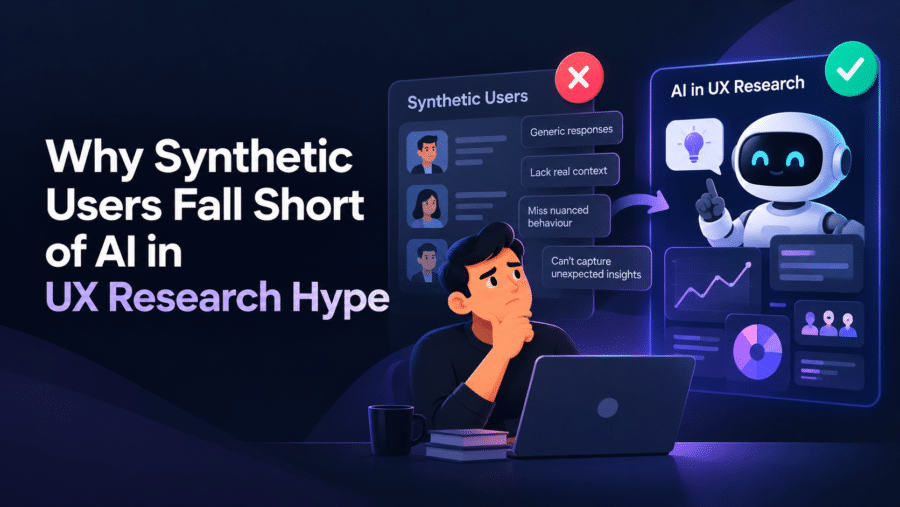
AI in UX research is useful for the paperwork of research and unreliable as a replacement for the people you’re researching. Let it transcribe, tag and draft a first-pass summary. Keep humans on the interviews, the observation and the decision about what it all means.
Key Takeaways
- Use AI for the slow clerical work of research: transcription, tagging, first-pass synthesis and drafting guides. Don’t use it as a stand-in for users.
- Synthetic users are hypotheses, not findings. Nielsen Norman Group’s testing found their answers too shallow and too agreeable to base decisions on.
- Always keep a human on interviews, observation and the final call on what the findings mean.
- An AI empathy map built from real interview notes is useful. One built from a prompt and a guess is fiction.
- Run a quick test on your own past study: compare the AI summary to what you know happened, and trust the tool only as far as it matches.

In this article
- Can AI replace UX research?
- What does AI do well in UX research?
- Where does AI fail? Empathy and context
- Are synthetic users reliable?
- My workflow for AI in UX research
- Which AI tools help UX designers?
- Will AI replace UX designers?
That’s my verdict after watching teams, including ones I’ve consulted for, get excited about these tools and then quietly stop trusting the output. So here’s where the line sits, and a workflow you can copy.

Can AI replace UX research?
No. AI can replace some of the labour around research, but not the contact with real users, which is the whole point of doing it.
Research exists to surprise you. A person tells you they never open the export menu, or that they abandon the form because their manager watches over their shoulder. A model trained on the average of the internet is built to produce the expected answer, and that’s the opposite of a surprise.
One note on evidence before we go further. I’m not going to invent a benchmark here, so the best public test I know of comes from Nielsen Norman Group, and I’ll cite that. At the end, however, I give you a short test to run on your own data, because your product and your users will behave differently from anyone’s case study.
What does AI do well in UX research?
It’s good at work that is text-heavy, repetitive and checkable. If you can verify the output against a source in a minute, it’s probably a fair choice.
- Transcription and clean-up. This one is a clear win, because nobody should be typing up interview recordings in 2026.
- First-pass synthesis. Paste in 10 sets of interview notes and ask for recurring themes, each with the supporting quotes. You then get a head start on affinity mapping.
- Drafting research plans and discussion guides. It’s fine at producing 15 questions that you then cut to 8.
- Spotting gaps. Ask what your guide fails to ask, or which assumptions your screener bakes in.
- Reformatting. Turn messy notes into a readable report, a slide outline or Jira-ready tickets.
The pattern: it works on material real people already gave you. But the moment it’s the source of the material, trouble starts.
Where does AI fail? Empathy and context
It fails at anything that needs presence. Tone of voice, hesitation, the thing a participant does that contradicts what they say: those moments are where the best insights come from, and they rarely make it into a transcript.
It also flattens. Ask for themes from 10 interviews and you’ll get tidy, plausible ones, but the outlier tends to get averaged away. That’s the single participant who used your product in a way nobody planned for, and in my experience that person is often the most valuable finding in the study.
And it can sound confident while being wrong. A summary that attributes a quote to the wrong participant, or generalises from two people to “users”, looks identical to a correct one. That’s why you check every theme against the source notes. If this sounds like extra work, it is, but it’s still faster than synthesising from scratch.
What about an AI empathy map?
An AI empathy map is only as good as what you feed it. Give it real interview notes and ask it to sort quotes into Says, Thinks, Does and Feels, and it saves you an hour. However, give it a one-line persona and ask it to imagine the rest, and you get a generic document that could describe anyone.
My rule: every cell on the map should trace back to something a real person said or did. If you can’t point to the source, delete it. The same logic sits behind my belief that the team is not the customer: the team’s own assumptions are exactly what research is supposed to challenge.
Are synthetic users reliable?
No, not for decisions. Synthetic users are AI-generated profiles that answer questions as if they were your target audience, so they’re best treated as a source of hypotheses.
Nielsen Norman Group tested this by comparing synthetic user output with studies it had run with real participants. Its conclusion was blunt: synthetic users and AI findings are hypotheses, not facts. Two problems stood out. The answers were shallow next to real participants, and the chatbots were eager to please. For example, real online learners often dropped out of courses, while the synthetic learners reported finishing everything.
That agreeableness is the killer. Real users complain, skip steps and forget your product exists, but a synthetic user is polite, articulate and has time for you. Maze’s comparison of human versus AI user research reaches a similar position: AI speeds up analysis but doesn’t replace talking to people.
So are AI personas reliable? Only if they’re built from real data and labelled as a summary of it. A persona invented from a prompt is a guess with a face on it.
Where synthetic users are still worth a look
I’d use them in three narrow ways, always before real research, never instead of it:
- Pilot your interview guide. Run it against a model to catch leading questions and confusing wording.
- Brainstorm hypotheses. Ask what might stop a first-time user from finishing onboarding, then go and check.
- Edge-case lists. It’s a cheap way to get a longer list of scenarios to test with real people.
If a stakeholder wants to skip the interviews because “the AI users loved it”, that’s your cue to push back. Saving budget isn’t the same as having evidence.
My workflow for AI in UX research
This is the process I’d recommend to any designer or PM. It keeps the tools on the clerical work and humans on the judgment.

- Define the question yourself. What decision will this research change? Write it down before any tool is open, because AI can’t tell you what you need to learn.
- Draft the guide with AI, then cut it. Ask for a draft and a list of leading questions to remove. Then rewrite it in your own words.
- Run the interviews as a human. Record with consent, take your own short notes on what surprised you, and watch for contradictions between what people say and do.
- Transcribe and tag with AI. Ask it to tag by topic and attach a quote and participant ID to every tag. No quote, no theme.
- Synthesise together. Let the model propose themes, then reorganise them yourself. Hunt specifically for what it missed: outliers and contradictions.
- Verify and write it up. Spot-check every theme against the raw notes. After that, decide what it means for the product, which is your job.
A 20-minute test before you trust any tool
Take a study you ran last year, one where you remember the surprises. Feed the raw notes to the tool and ask for the top five themes. Then compare against your own memory and your original report.
Score three things: did it catch the main findings, did it invent anything, and did it miss the surprise? Most tools will pass the first but stumble on the third. That result, from your own data, tells you more than any vendor demo. If you run it, I’d treat a tool that fabricates even one quote as unfit for client work.
Which AI tools help UX designers?
The best AI UX design tools in 2026 are the ones that handle the clerical work and show their sources. Specific products change quickly, so judge by category and by whether the output traces back to your data. I keep a running list in my tools archive.
| Job | What to look for | Examples to evaluate |
|---|---|---|
| Transcription | Speaker labels, accurate names and jargon | Otter, Dovetail, Zoom’s built-in transcripts |
| Synthesis and tagging | Every theme links to a quote | Dovetail, a general chatbot such as ChatGPT or Claude |
| Survey and test analysis | Open-text clustering you can inspect | Maze and similar platforms |
| Guide drafting and brainstorming | Fast, editable, no pretence of being data | ChatGPT, Claude, Gemini |
I’m listing categories and examples, not a ranking, because I haven’t benchmarked these against each other. Also check current pricing and data-handling terms, especially if participants’ recordings contain personal information.
How do you use ChatGPT for user research?
Use it as a fast, sceptical assistant on data you already collected. Paste in anonymised notes, ask for themes with supporting quotes, and then ask it separately what contradicts those themes. Remove names and any identifying details first.
A good prompt: “Here are notes from 8 interviews. List recurring problems. For each, give the participant IDs and an exact quote. Flag anything said by only one person.” The last line is what protects those valuable outliers.
Will AI replace UX designers?
It will replace some tasks, and it will squeeze designers who only do those tasks. The people who stay valuable are the ones who can frame the right question, talk to users and make a call under uncertainty. I wrote more about this shift in what’s going to happen to UX/UI jobs, and about where AI value actually lands in the AI race and the last mile.
The practical advice is simple. Learn the tools, because the researcher who uses them will out-deliver the one who doesn’t. Still, spend the time you save on more conversations with users, not fewer. If research gets cheaper, the right response is to do more of it.
For more practical ux design tips, browse the rest of the blog on siddharthpereira.com.
Frequently Asked Questions
Can AI replace UX research?
No. AI can speed up transcription, tagging and first-pass synthesis, but it can’t give you new information about real users. Research is valuable because it surprises you, and a model trained on averages tends to give the expected answer.
Are synthetic users reliable?
Not for decisions. Nielsen Norman Group describes synthetic users and AI findings as hypotheses, not facts, and found the responses shallow and overly agreeable. Use them to pilot a guide or brainstorm hypotheses, then validate with real people.
Which AI tools help UX designers?
Look for tools that handle transcription, tagging and synthesis and link every theme back to a source quote. Examples to evaluate include Dovetail, Otter, Maze, and general assistants such as ChatGPT, Claude and Gemini. Check pricing and data privacy before uploading participant recordings.
Will AI replace UX designers?
It will automate parts of the job, especially routine production and note-taking, but not the judgment. Framing the right question, talking to users and deciding what to build still need a person. Designers who use AI well will likely outperform those who ignore it.
How do you use ChatGPT for user research?
Paste in anonymised notes from real interviews and ask for recurring themes with participant IDs and exact quotes. Then ask what contradicts those themes and what only one person said. Always check the output against your raw notes before sharing it.


